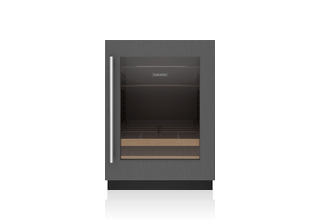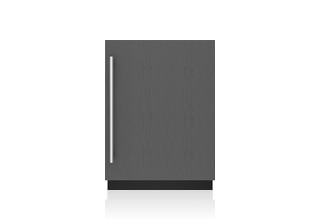




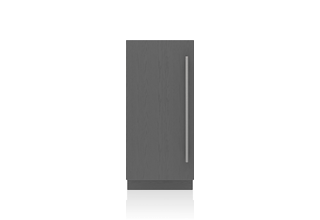
15" Designer Undercounter Ice Maker with Pump - Panel Ready
Pinch to zoom
Images are for reference only.
Features
- For extra peace of mind, if the unit senses a water leak, it will shut down to prevent further leakage and notify you through an alarm and the Owner’s App.
- MaxQuiet™ technology ensures near-silent operation
- Intuitive cleaning system requires less user interaction
- A subtle floor light shows the progress of the cleaning process
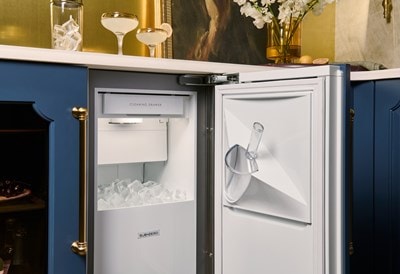
- Produces up to 65 lbs. of clear cube-shaped ice (approximately 1 1/4” across) per day
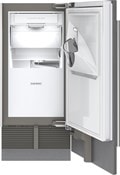
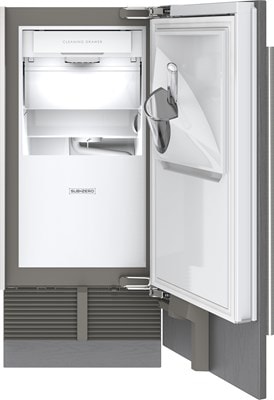
- Rounded ice scoop is specially designed to pick up as many cubes as possible
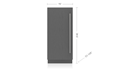
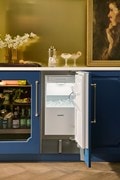
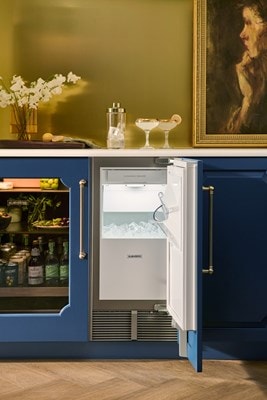
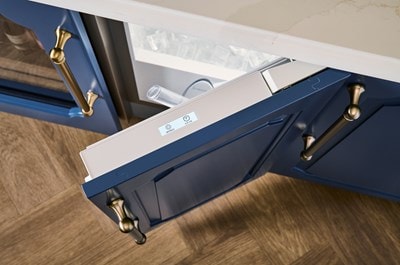
- Panel-ready, with integrated hinges, to blend seamlessly into surrounding cabinetry
- The intuitive controls match other Sub-Zero touchscreens and are located on top of the door for easy access and viewing
- Use the Owner’s App on your mobile device to start or stop ice making, remotely monitor the unit, adjust settings, and receive notifications on cleaning status
- Sub-Zero’s legendary quality means the ice maker will provide years of regular use even in harsh outdoor conditions
Model Options
View Legacy Model Details
- Left Hinge: DEU1550IP/L
- Right Hinge: DEU1550IP/R
Contact your local showroom or dealer for pricing.
Interior
- LED lighting
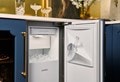
- Built-in ice scoop
Specifications
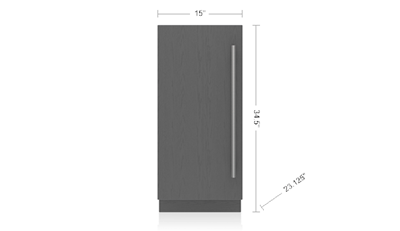
- Overall Dimensions: 15" W x 34 1/2" H x 23 1/8" D
- Receptacle: 3-prong grounding-type
- Electrical Supply: 115 VAC, 60 Hz
- Electrical Service: 15 amp dedicated circuit
- Ice Storage Capacity: 25 lbs
User Guides
Videos
CAD Libraries
- 3D Studio Max (3DS) En-Ca
- 3D Studio Max (3DS) En-Ca
- 2D AutoCad (DWG) ca
- 3D Studio Max (3DS) En-Ca
- 3D Studio Max (3DS) En-Ca
- 2D AutoCad (DWG) ca
- 2D AutoCad (DWG) ca
- 2D AutoCad (DWG) ca
- 3D AutoCad (DWG) ca
- 3D AutoCad (DWG) ca
- 3D AutoCad (DWG) ca
- 3D AutoCad (DWG) ca
- AutoCad (DXF) ca
- AutoCad (DXF) ca
- AutoCad (DXF) ca
- AutoCad (DXF) ca
- ArchiCad (GSM)
- ArchiCad (GSM)
- ArchiCad (GSM)
- ArchiCad (GSM)
- 3D Studio Max (MAX)
- 3D Studio Max (MAX)
- 3D Studio Max (MAX)
- 3D Studio Max (MAX)
- Wavefront 3D (OBJ)
- Wavefront 3D (OBJ)
- Wavefront 3D (OBJ)
- Wavefront 3D (OBJ)
- Revit Files (RFA)
- Revit Files (RFA)
- Revit Files (RFA)
- Revit Files (RFA)
- SketchUp (SKP)
- SketchUp (SKP)
- SketchUp (SKP)
- SketchUp (SKP)
Design Live cloud library V13.7+
Accessories
- Filters and Cleaning
- Installation
For Québec consumers only – Warranty of Good Working Order: 6 years.
Envision the possibilities


Pro tips
Consider these suggestions as you design your space:
- Install multiple Sub-Zero units together for increased personalization
- Cover the area between the unit and floor with optional kickplates
- Coordinate all of your appliances with Sub-Zero pro, tubular, or custom handles

Let's talk
Prefer to discuss the features of Sub-Zero appliances with an expert?
Call us at (800) 444-7820

Visit a showroom
See the complete line of Sub-Zero appliances at your nearest Sub-Zero, Wolf, and Cove showroom.
Suggested Products